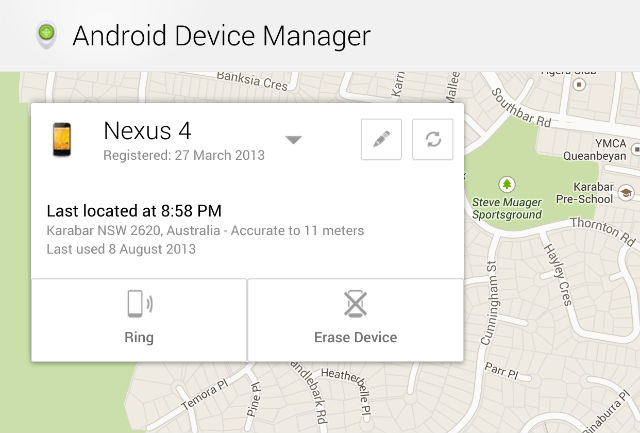
The recently announce Android Device Manager service went live in the early hours of this morning. The update requries a couple of things for it to work on your device, a Google Play Service update was rolled out recently which allows you to add Android Device Manager as a device administrator and allowing limited remote control of the device.
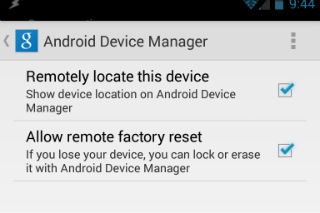
The settings for Android Device Manager are now present in the Google Settings app, where you will find check boxes to allow the service to ‘Remotely locate this device’ and ‘Allow remote factory reset’. If you don’t have these activated you will not be able to use the service.
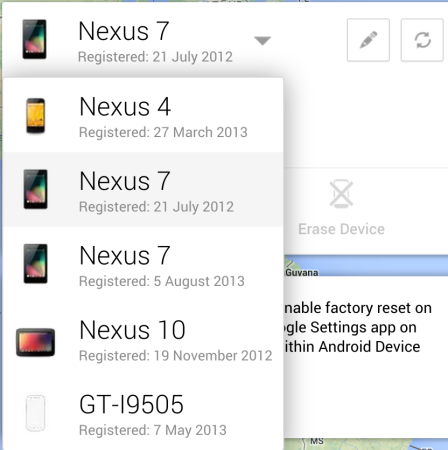
To use Android Device Manager, jump onto the website – https://www.google.com/android/devicemanager – once there you can select from any of your Android Devices from a drop down menu.
Once you select your device you can choose to erase or ring the device. You can also rename or refresh the devices connection, to register any changes you make in the settings. If you don’t have the ‘Allow remote factory reset’ option ticked you can send a reminder to your device.
In the background there is a Google Map which flies down to the last location that the tablet was registered at. This was able to correctly detect my device down to within 11 metres.
I have run this on both the Nexus 4 as well as the Nexus 7 (2013). Both were found at their last known location which was correct and the devices rang when I selected that option. I’m not prepared to try the erase device option but it’s handy to know that the call and locate functions work. The new service appears to be a bit hit and miss here in the Ausdroid team, some people are able to use the service first go with no issues, while others are not getting anything.
UPDATE : One thing to try if you’re having issues getting this to work is to unchecking the factory reset in Android Device Manager settings and clearing data in Google Services, then Reboot and try again.
Of course if all that fails, the Android Device Manager support page may shed some further light on the issue.
Let us know if that helps.
Does Android Device Manager work for you? How accurate is it? Are you game to try the Erase device function?