
Apple Music has become one of the most popular music streaming platforms, offering millions of songs, curated playlists, exclusive releases, and high-quality audio. However, one of the biggest downsides is that Apple Music requires a paid subscription to unlock most of its features. Without it, users are unable to download songs for offline listening or enjoy full tracks without interruptions.
But what if you could listen to Apple Music without paying for a subscription ? In this guide, we’ll explore different methods, highlight the limitations of free listening, and introduce ViWizard Streaming Audio Recorder, the ultimate tool that lets you capture and save Apple Music tracks for offline playback anytime, anywhere.
Part 1: Can You Listen to Apple Music for Free?
Apple Music does offer a free trial period, usually ranging from one to three months, where you can explore all the features without cost. Beyond that, however, access becomes limited:
- You can preview 30–90 seconds of a song without subscribing.
- You cannot download full songs for offline playback.
- Playlists and full album streaming require a subscription.
So, officially, the only way to fully enjoy Apple Music long-term is by paying monthly. For users who don’t want recurring fees but still wish to enjoy their favorite music, an alternative solution is needed.
Part 2: Why People Look for Alternatives to Apple Music Subscription
There are many reasons why users want to bypass the subscription model:
- High Costs Over Time – Even a $10.99 monthly plan adds up to over $130 per year.
- Limited Access Without Subscription – No downloads, no offline listening, and only short previews.
- Compatibility Issues – Some devices don’t support the Apple Music app.
- Permanent Access – Once you cancel your subscription, all downloaded tracks disappear.
This is where a professional audio recording tool like ViWizard Streaming Audio Recorder comes into play.
Part 3: Introducing ViWizard Streaming Audio Recorder
ViWizard Streaming Audio Recorder is a powerful yet easy-to-use tool that lets you record any audio playing on your computer, including Apple Music tracks, Spotify songs, online radio, podcasts, and more. Unlike traditional downloads, recording allows you to capture high-quality sound in real-time and save it in universal formats such as MP3, WAV, AIFF, FLAC, and M4A.
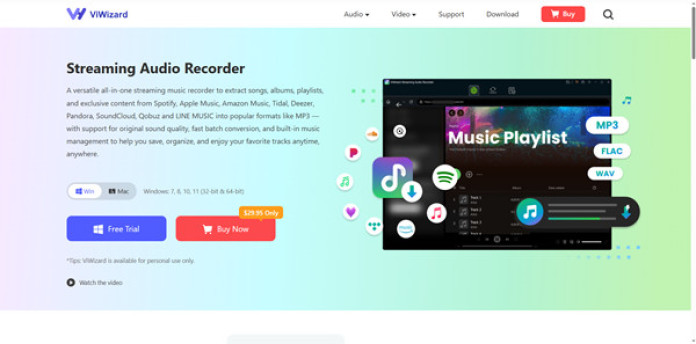
Key Features of ViWizard Streaming Audio Recorder:
Download Apple Music without subscription – download any track of Apple Music in high quality.
- Multiple formats – Convert Apple Music to MP3, AIFF, FLAC, WAV, and more.
- Lossless quality – Capture and download music at 100% original audio quality.
- Automatic ID3 tags – Recognize and add song information like title, artist, album, and genre.
- Wide compatibility – Works with Apple Music, Spotify, YouTube, Pandora, Amazon Music, and other popular streaming services.
- Easy to use – Beginner-friendly interface that makes recording effortless.
With ViWizard, you are not bound by Apple’s subscription model—you can keep your favorite tracks permanently, listen offline, and even transfer them to any device.
Part 4: How to Use ViWizard to Listen to Apple Music Without Subscription
Here’s a step-by-step guide to recording Apple Music using ViWizard:
Step 1: Install and Launch ViWizard
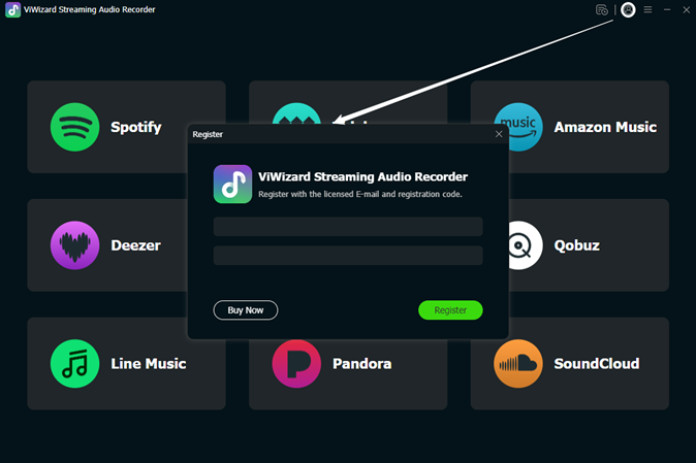
Download ViWizard Streaming Audio Recorder from the official website. Install it on your Windows or Mac computer and open the program.
Step 2: Sign in to Your Apple Music Account
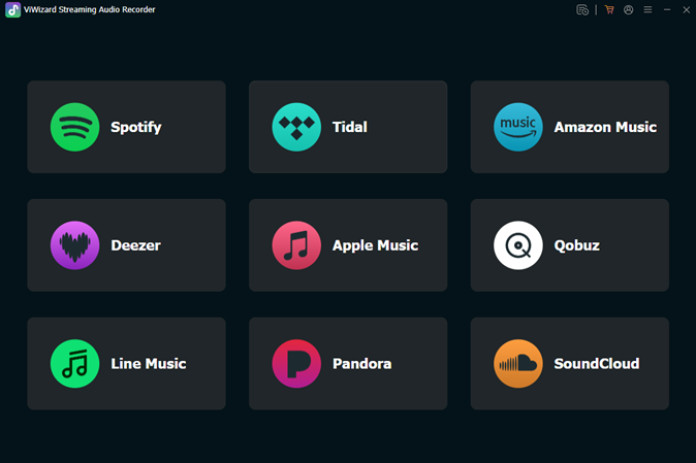
Open ViWizard. First, you need to select your target music platform; here, choose Apple Music. Then, in the Apple Music web player, enter your Apple Music credentials.
Step 3: Select Output Format
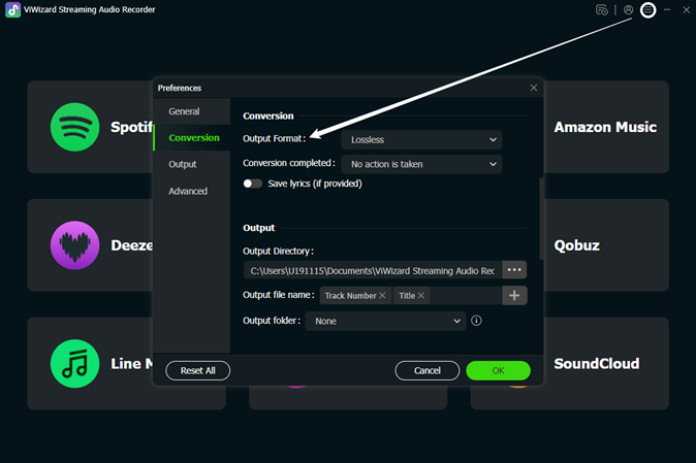
Before downloading, go to the settings panel (menu > preferences) and choose your preferred output format (MP3 is recommended for compatibility). You can also adjust audio quality, codec, bit rate, and sample rate.
Step 4: Import Your Apple Music Songs to ViWizard
Browse your Apple Music library and select the songs you want. Then, open them and click the + button in the bottom right corner to add them to ViWizard’s conversion list.
Step 5: Start Downloading Apple Music
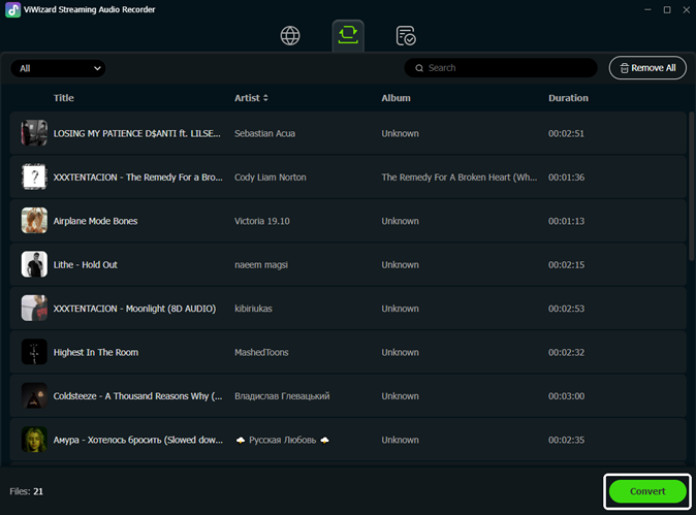
Go to the Converting panel and you’ll see all the imported songs. Click the Convert button in the bottom right corner. ViWizard will immediately begin downloading at 30x the speed. Wait a moment and the download will complete. Then, using the folder icon, you can locate your local Apple Music files.
From there, you can save your Apple Music to your computer. or transfer them to other devices like smartphones, MP3 players, or car audio systems.
Conclusion
While Apple Music requires a paid subscription to fully enjoy its catalog, you don’t have to be tied to recurring fees. With ViWizard Streaming Audio Recorder, you can listen to Apple Music without a subscription, record your favorite tracks, and keep them forever in high-quality formats.
For anyone who loves music but doesn’t want to be locked into costly monthly plans, ViWizard is the perfect solution. Whether you’re building a personal library, creating playlists for offline use, or simply saving money, this tool gives you the freedom to enjoy Apple Music on your own terms.
Start using ViWizard Streaming Audio Recorder today and take full control of your music experience!