
Family duty to the modern day father does not stop at the physical world. With children increasingly connected online, be it to school, or just to play and interact, security in the cyber world is becoming just a facet of parenting.
Modern fathers aged 30-45 years in particular are attempting to balance their work, family, and management of technology, therefore a proper set of digital tools and services may be essential.
A family digital safety tech toolkit will protect the family against any potential online risks, while also assisting in managing daily routines, screen times, and making positive digital practices.
Below, you will find the most relevant apps in different categories that will allow modern dads to make fatherhood safe and fruitful.
The Role of Modern Dads in Family Digital Security
Modern fathers are not an idle observer of their children’s Internet activities anymore. Many people are directly involved in the process of installing devices, managing, and configuring household technology.
Digital parenting is not merely installing antivirus software as it used to be with the previous generations: this is careful surveillance, direct communication, and the application of tools that do not overburden the busy schedule but profoundly shape it.
Why You Need a “Digital Toolkit”
Children are active curious beings, but the internet is a big field with potential and dangers. Dad’s digital toolkit will include:
- Peace of mind – knowing that your children’s devices are secure and located.
- Efficiency – devices that save time and can help reduce the daily stress of parents.
- Balance – learning and reducing screens instead of just banning them.
A digital toolkit is at the core of family technology management: you have various tools for various situations, but all working towards the same goal of keeping safe and being peaceful.
Essential Apps Categorized
Modern fathers do not just want parental controls, they want trusted tools that can be incorporated into everyday life and to ensure the safety of the children. Parental controls, GPS trackers, and screen time limits are just a few of the apps that can form the backbone of a practical digital toolkit for today’s families.
Device and Internet Security
Digital parenting is about protecting devices and web activity. Whether you need screen limits or content filtering, these programs can help dads create an appropriate balanced digital environment without the struggle.
-
Google Family Link
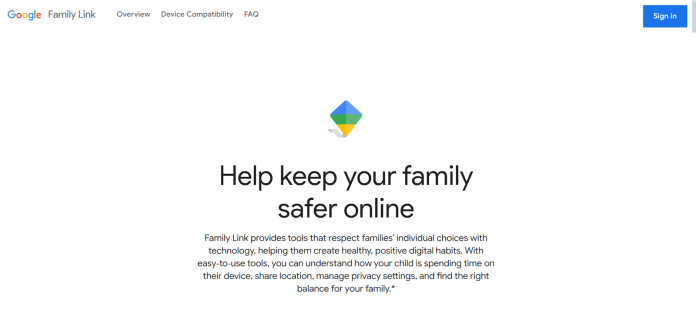
- Highlights: Free Android native app to control the installation of apps, limit the screen time and monitor the location of the device.
- Use Scenario: Perfect for fathers who want to set digital limits in a hassle-free, no-cost fashion to younger children.
- Limitations: Limited monitoring depth compared to advanced parental controls; older kids may quickly outgrow its simplicity.
-
AirDroid Parental Control

- Highlights: Airdroid parental control is a comprehensive tool designed to help parents ensure their child’s online safety with a range of features. These include screen mirroring, app usage reports, real-time updates, the ability to block or restrict certain apps, and detecting inappropriate content in messaging apps. All features are designed to be used with your child’s knowledge and consent, promoting open communication and trust.
- Use Scenario: great alternative to those busy dads that want an all-in-one view of what their child is doing online.
- Limitations: While AirDroid Parental Control is packed with powerful features, some advanced functionalities are available only with a subscription. Additionally, the initial setup may take a little time to get used to, but the app is designed to be user-friendly once you’re familiar with its tools. Always ensure that your child has agreed to the monitoring setup to maintain trust and transparency.
-
Bark
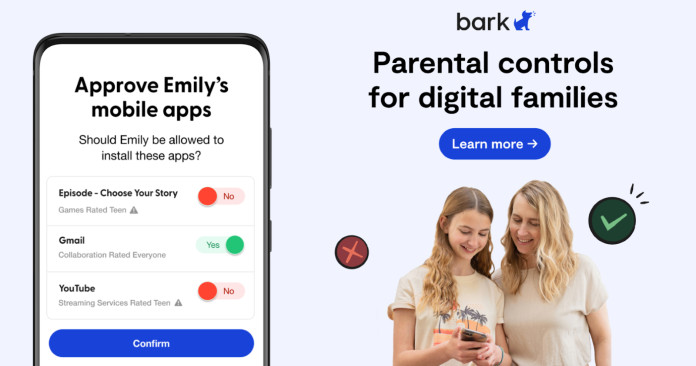
- Highlights: Emphasis on social media and messaging monitoring, including alerts on cyberbullying, self-harm content and online predators.
- Use Scenario: Can be used by fathers of teens that use social sites actively and require more detailed monitoring of the content.
- Limitations: Does not provide as much control of the daily amount of screens or app-blocking.
Communication and Family Collaboration
Operating a home feels like leading a crew. These applications assist fathers in planning calendars, sending reminders, and streamlining the family outfits more easily and with fewer hassles.
-
FamilyWall

- Highlights: Shared family calendar, meal planner, grocery lists, and private chat in one app.
- Use Scenario: Dads who often coordinate school runs, after-school activities, or weekend schedules will find it a handy central hub.
- Limitations: Best used when the entire family commits to it; otherwise, updates can get missed.
-
Cozi
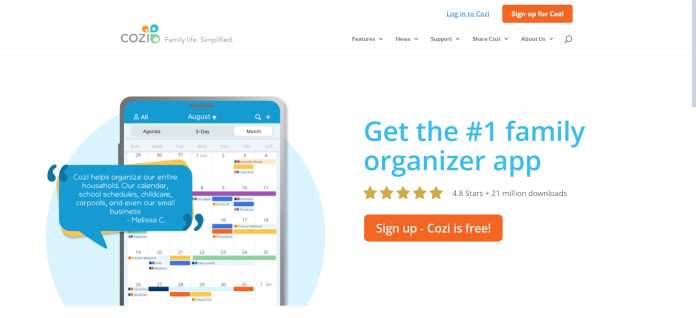
- Highlights: Well-designed for shared scheduling, reminders, and task management across devices.
- Use Scenario: Helps dads balance work and family life by ensuring everyone is aligned on activities and responsibilities.
- Limitations: Focused on planning, with little emphasis on digital safety.
Location and Daily Travel Safety
Knowing where your kids are, and that they’re safe, is a top concern for dads. Location-sharing apps make daily travel and independence less stressful for both parents and children.
-
Life360

- Highlights: Real-time location tracking, driving safety reports, and emergency alerts.
- Use Scenario: A lifesaver for dads with teens who drive or commute independently, knowing they arrived safely offers huge peace of mind.
- Limitations: Some advanced features, like crash detection, are behind a paywall.
-
Google Maps Location Sharing
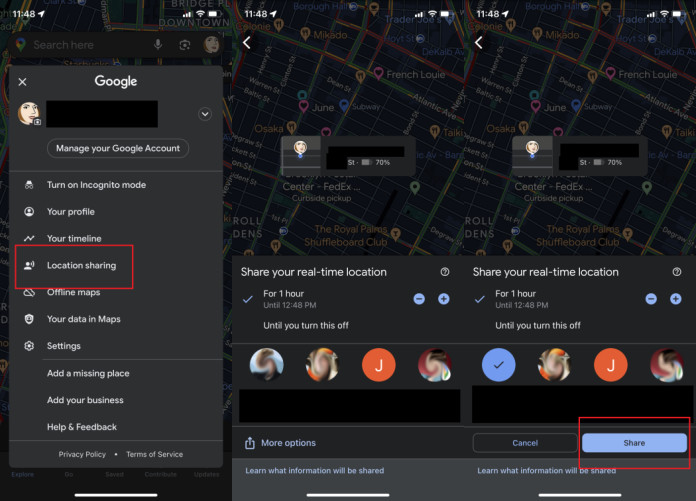
- Highlights: Simple, free, and built into every Android device. Allows location sharing in real time for selected contacts.
- Use Scenario: Best for day-to-day scenarios like making sure kids got to school or practice on time.
- Limitations: Lacks additional safety features like reports or driving analysis.
Learning and Screen Balance
Not all screen time is bad, but balance matters. These apps help dads encourage focus, healthier digital habits, and even family participation in staying mindful with devices.
-
Forest

- Highlights: A gamified focus app where kids (and parents) grow virtual trees by staying off their phones.
- Use Scenario: Fun for dads to use alongside kids, turning screen discipline into a family challenge.
- Limitations: More motivational than restrictive; doesn’t enforce limits.
- Focus Mode (built into Android)

- Highlights: Temporarily pauses distracting apps during homework or family time.
- Use Scenario: Great for dads who want quick, built-in screen management without third-party apps.
- Limitations: Limited to manual scheduling and lacks reporting features.
Extended Trends: AI and the Future of Digital Parenting
Artificial intelligence is becoming central to family digital safety. Modern parental control tools use AI to scan messages, detect risky behavior, and adapt restrictions over time. For example, AirDroid’s tracking apps and others can identify problematic online content and send real-time alerts, allowing dads to act before small issues escalate.
This proactive layer is increasingly important as children are exposed to connected devices at younger ages. Instead of waiting for problems to arise, AI-driven apps help modern dads stay ahead of the curve.
Conclusion
For modern dads, digital parenting is about finding efficient, practical tools that support, not replace, communication and trust with children.
If you’re building your toolkit, three essentials stand out:
- AirDroid Parental Control for comprehensive monitoring.
- Life360 for travel and safety tracking.
- FamilyWall or Cozi for daily family coordination.
At the end of the day, apps are supplementary. Open conversations, shared digital rules, and trust are what make these tools most effective. With the right balance, modern dads can keep their families safe, connected, and thriving in today’s digital world.
