
Top 3 Activation Lock Removal Fixes for iPhone Locked to Owner
If you’ve ever restored or reset your iPhone only to see the message “iPhone Locked to Owner”, you know how frustrating it can be. This situation occurs due to Apple’s Activation Lock, a security feature tied to Find My iPhone designed to protect user data in case a device is lost or stolen. While it’s a great feature for security, it can become a major obstacle if you purchased a second-hand iPhone or forgot your Apple ID credentials.
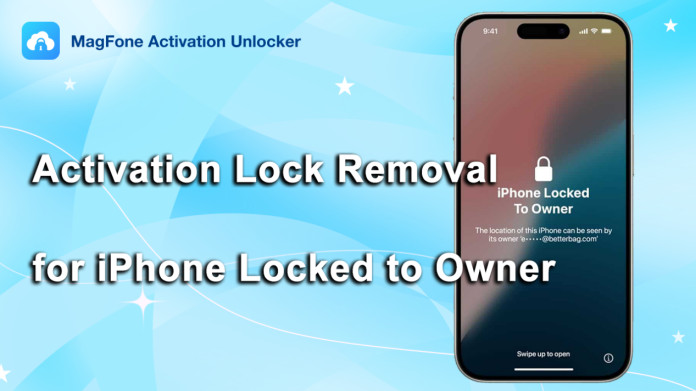
In this guide, we’ll explain how to handle an iPhone locked to owner, and we’ll provide the top 3 activation lock removal tools available in 2025. By the end, you’ll understand how to regain full access to your iPhone safely, and why MagFone Activation Unlocker stands out as the best solution for most users.
What Does “iPhone Locked to Owner” Mean?
The message “iPhone Locked to Owner” appears when an iPhone is linked to an Apple ID and reset without turning off Find My iPhone. This lock requires the Apple ID and password of the original owner to activate the device. You may encounter this issue in several scenarios:
- Buying a used iPhone where the previous owner forgot to remove their iCloud account.
- Receiving a device from a family member or friend who didn’t log out of iCloud.
- Resetting your own iPhone but forgetting your Apple ID or password.
When this happens, the device will display “iPhone Locked to Owner”, and without proper action, you won’t be able to use the iPhone. Users often search for queries like “iphone locked to owner how to unlock” or “how to unlock iPhone locked to owner” to find solutions.
Why Traditional Methods Often Fail
Before using professional tools, many users attempt the following methods:
1. Contacting the Previous Owner
If possible, contact the original owner and ask them to remove the device from their iCloud account via iCloud.com. While legitimate, this isn’t always feasible, especially if you bought the iPhone from a reseller or online marketplace.
2. Using “Unlock with Passcode”
On some iOS versions, the activation screen provides an option called “Unlock with Passcode”. If you have the device’s passcode and Apple ID, you can remove the activation lock. This is convenient if the device is originally yours, but it won’t work if you don’t know the credentials.
3. Apple Support
If you have valid proof of purchase, Apple Support may remove the lock for you. You’ll need the original receipt, and the information must match the device’s serial number or IMEI. While reliable, this method is limited and cannot help if the iPhone is purchased second-hand without documentation.
Because of these limitations, professional activation lock removal tools are often the most practical solution.
Top 3 Activation Lock Removal Tools
For those asking “iphone locked to owner bypass” or “bypass iPhone locked to owner”, professional software provides a reliable solution. Here are the top 3 tools in 2025.
#1. MagFone Activation Unlocker – Best Choice
MagFone Activation Unlocker is widely regarded as the best iPhone unlock software. It can bypass the activation lock on most iPhone and iPad models, including the latest iOS versions. Here are the advantages of MagFone Activation Unlocker:
- High success rate for bypassing iPhone locked to owner issues.
- Fast, user-friendly interface suitable for beginners and advanced users.
- Compatible with a wide range of iOS devices and versions.
- Regular updates ensure stability and reliability.
MagFone can help users who are stuck with “reset iPhone says iPhone locked to owner”, making it one of the most trusted tools for activation lock removal.
#2. Tenorshare 4MeKey
Tenorshare 4MeKey is another option that allows users to remove iCloud activation locks. While it’s easy to use, some users experience inconsistent results, especially on newer iOS versions. Its interface is simple, but MagFone still outperforms it in success rate and device compatibility.
#3. iMyFone iBypasser
iMyFone iBypasser also targets activation lock removal. It’s straightforward, but slower and less stable on newer devices. Users with the latest iPhones often find that MagFone Activation Unlocker works faster and more reliably.
How to Use MagFone Activation Unlocker to Bypass iPhone Locked to Owner
Using MagFone is simple and requires no technical expertise, here are the steps.
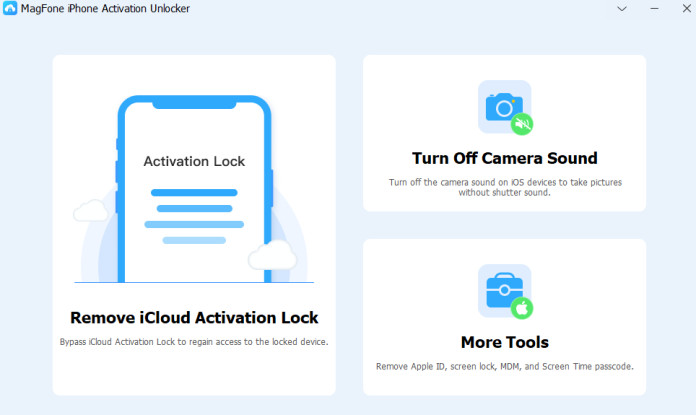
Step 1: Download and run MagFone Activation Unlocker on your computer. Connect your iPhone to the computer. Select Remove iCloud Activation Lock.
Step 2: Follow the on-screen instructions, the software will detect your device and guide you jailbreak iOS.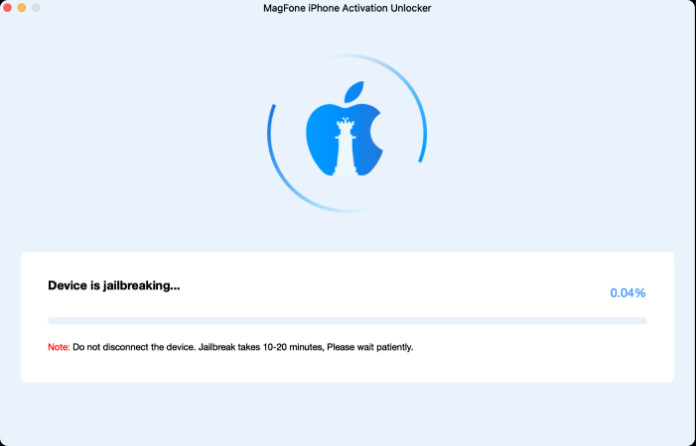
Step 3: Follow the on-screen instructions to bypass iCloud activation lock. Once complete, your iPhone will no longer display “iPhone Locked to Owner”, and you can set it up as new.
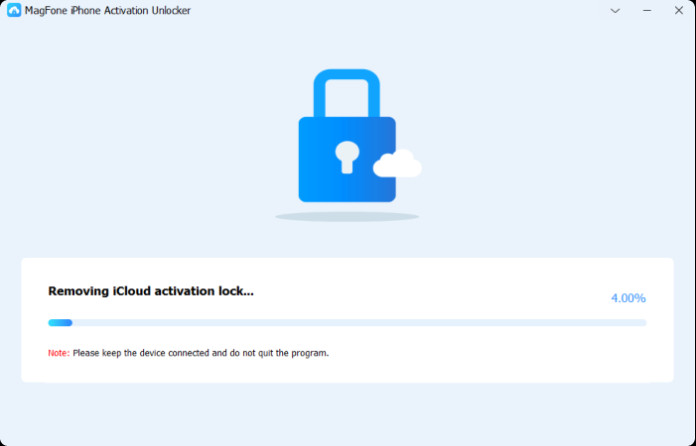
This process solves the problem of iPhone locked to owner after factory reset quickly and safely.
Final Thoughts
If you encounter an iPhone locked to owner, there are multiple approaches:
- Contact the previous owner.
- Use Unlock with Passcode.
- Reach out to Apple Support if you have proof of purchase.
- Or, for the most effective and consistent solution, use professional software.
Among the top 3 tools—MagFone Activation Unlocker, Tenorshare 4MeKey, and iMyFone iBypasser—MagFone clearly stands out due to its speed, compatibility, and reliability. It’s the recommended choice for anyone searching “how to remove iPhone locked to owner”, “iphone locked to owner how to unlock free”, or “how to remove activation lock without previous owner”.
With MagFone Activation Unlocker, you can regain full control of your iPhone safely and efficiently, turning a frustrating lock screen into a fully usable device again.
