
Dark Mode all the things! Google has been on somewhat of a tear updating their apps to support dark themes, the latest of which is the Google Contacts app.
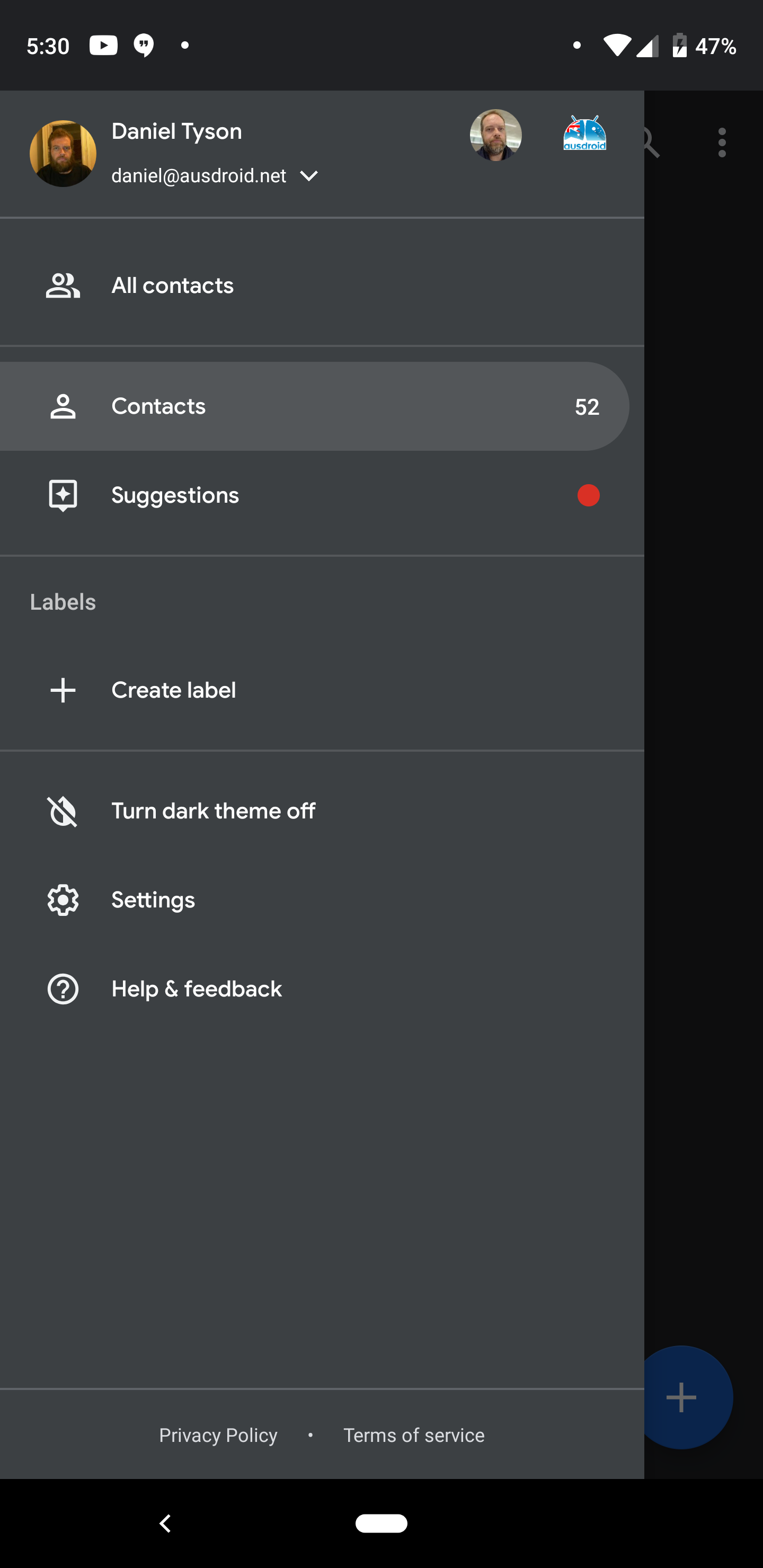
The Dark Mode is rolling out as part of the Google Contacts v3.2 app, with the toggle to turn it on accessible in the pull-out menu beneath the ‘Labels’ section. The APK is rolling out, and can be side-loaded after a download from APK Mirror if you can’t wait for the Google Play channel. The APK side-load did require a force-close of the Contacts app for the option to enable Dark Mode to appear.

One rider for the Dark Mode is that if you have the system wide Dark Theme in device Settings on, then you’ll see an instruction to turn that off first.
Though the Contacts app is Dark now, the Phone app which Google promised in their ‘Whats New’ section of the Play Store would be getting Dark Mode ‘soon’ – back in August – is still white. It’s annoying, but surely can’t be far off.
The appearance of a Dark Mode in the Contacts app is seemingly in response to their admission last week that the lighter colour scheme in their Material Design schema was impacting battery life negatively.
If you can’t wait, then head over to APK Mirror, or, sit back, relax and it will be here in a day or two. Bring on the Dark Mode Google, we love it.
https://play.google.com/store/apps/details?id=com.google.android.contacts


