Since the launch of products like the Amazon Echo and then the Google Home we’ve seen an explosion of Internet of Thing (IoT) devices. It turns out that voice was the interface that Home Automation and IoT had been searching for. Since jumping into the Google Home world, I’ve been looking for more ways of automating my house with Google Assistant.
Living in Queensland, Air Conditioning is almost a must, so when I came across the Sensibo Smart Air Conditioner controller in Harvey Norman my interest was piqued. When I saw it integrated with Google Assistant, I was sold.
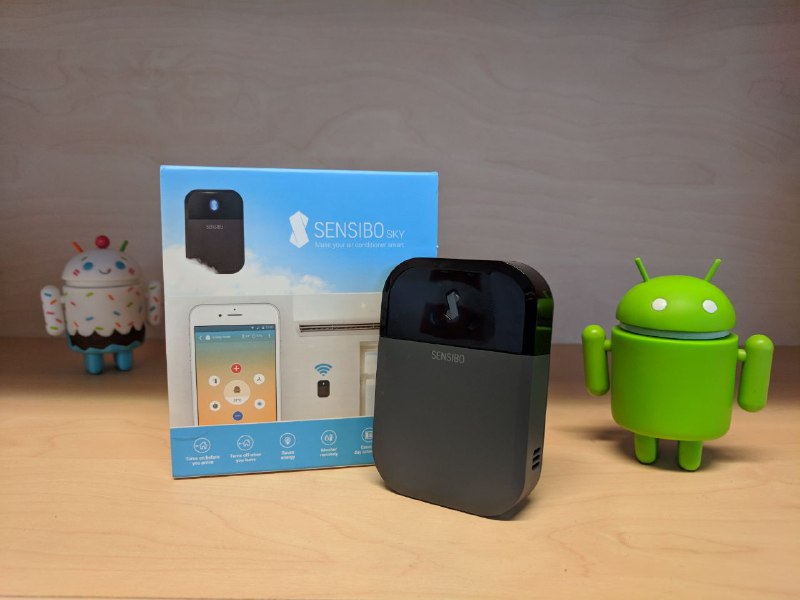
What is the Sensibo? Basically it’s a Wi-Fi learning remote control with an app designed to command and control thermostats (or A/C units) and integrates with Google Assistant and Amazon Alexa. However that simple description doesn’t do justice to what I’ve found to be an intuitive and powerful upgrade to my standard A/C split system.
Hardware
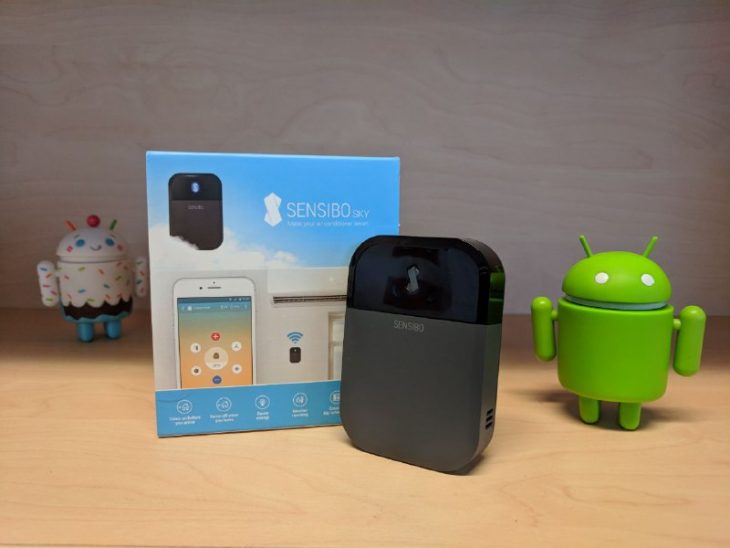
The unassuming little black box measures in at 83 x 57 x 20 mm and is light enough to be mounted to a wall with simple double sided mounting strips. Specs wise, the Sensibo is packing 2.4 GHz WiFi, temperature and humidity sensors and an IR emitter.
From a design perspective the Sensibo is an chamfered black box, with a pleasing, if industrial, looking finish. While the instructions suggest you mount the device on the wall below the air conditioning head unit, I successfully placed it across the room, behind a bookcase and in several other locations: as long as the IR emitter had line of sight to the AC unit it seemed to work flawlessly.
For renters the Sensibo is great, you can add some home automation magic and take it with you to the next place if you move on. From a hardware perspective it’s that simple, all of the magic happens in software.
Software
The heart of the Sensibo user experience is the App. Once you’ve plugged in the Sensibo you pair your app with the device which is super simple thanks to the pairing QR code on each unit. Once paired, the app directs you to point your A/C remote at the sensor and press the “on” toggle; for me that was it from that moment on the Sensibo had complete control of my AC.
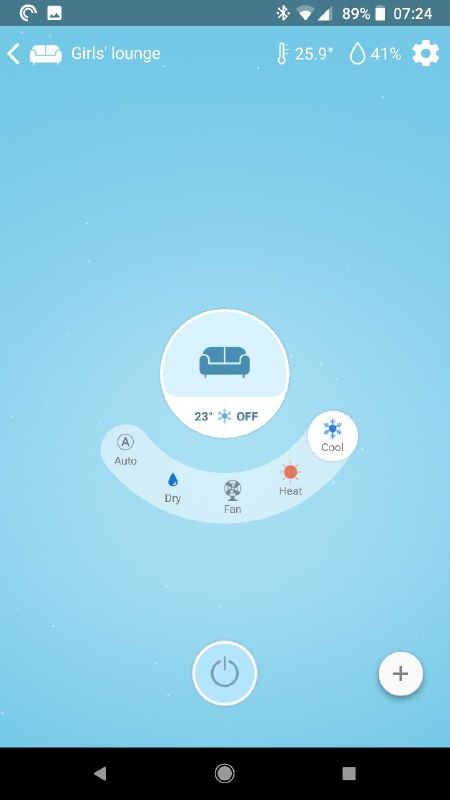
Via the Sensibo app you can see all of your A/C units, toggle them on or off, program their temperature, fan speeds, mode and vertical slat directions. You can also set timers for automatic on/off of the device.
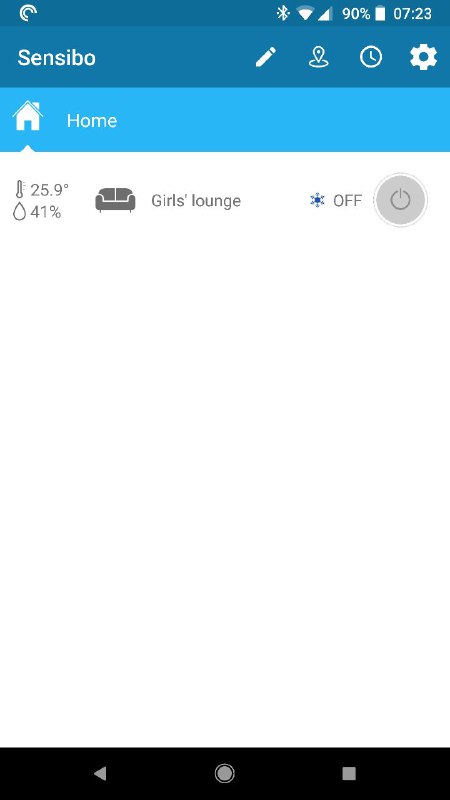

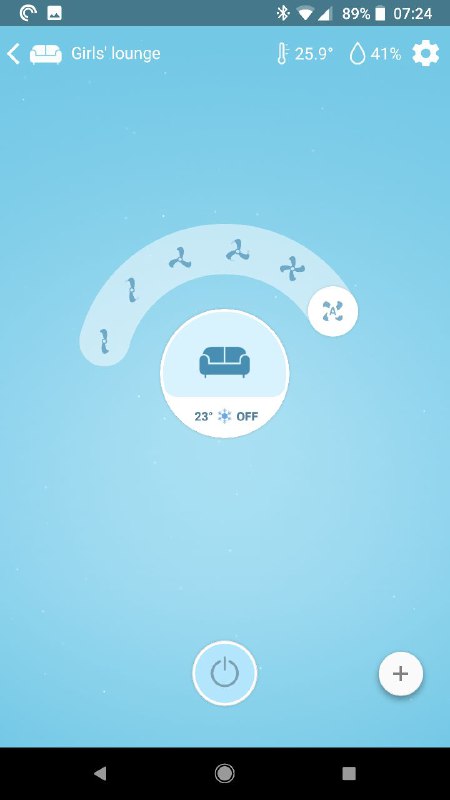
If that was all it did I would still think it was useful with the voice integration, but Sensibo hasn’t stopped there. The app also includes both a geofence trigger for automatically starting and stopping the air conditioner which can be useful. The geofence trigger is a new system and didn’t seem to like the 6+ devices I had the app installed on. To get the system to work each device needs to be configured as a seperate device.
Lucky Sensibo thought of this and you can simply enroll each device via the in-app share system. This stops the system getting confused if you have multiple geo tracking devices on the one account, eg like a smartphone reviewer. I doubt many normal people will experience this issue, just make sure each member of your family sets up their device from an invite.
On top of geofence control you can also program temperature, humidity or “feels like” triggers that will automatically start your AC should the room meet your predetermined criteria. I tried this beta feature out and loved it. Specifically I had it control the A/C in my daughter’s room letting it turn on and off to make sure she didn’t get too hot or too cold.
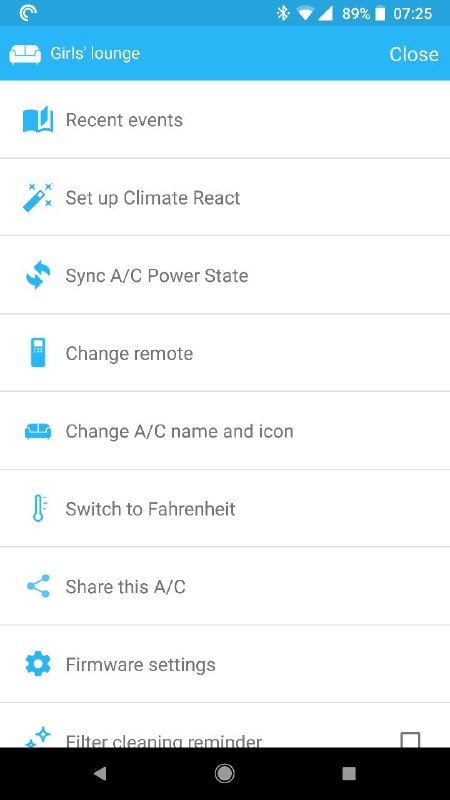
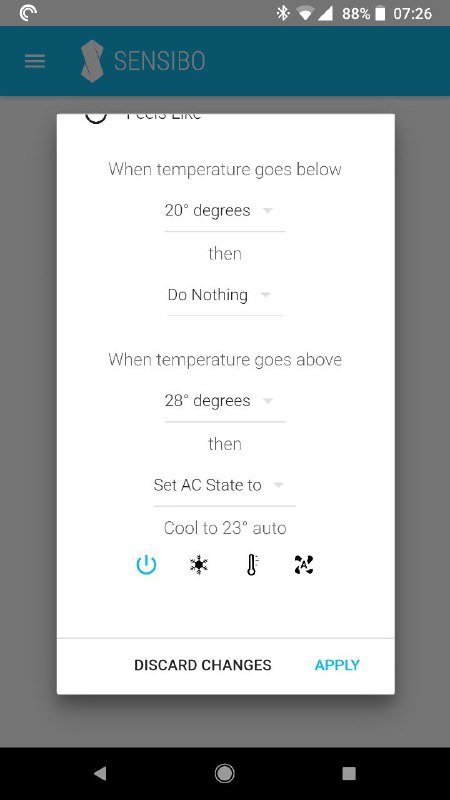
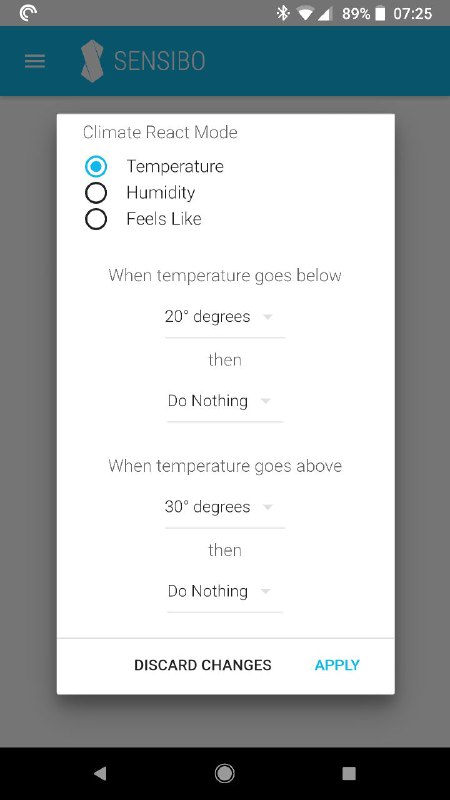
I think most users will use the app to set up the device and then perhaps as a mobile remote and rarely touch some of the more advanced features, but it’s nice to see Sensibo isn’t just resting on their laurels. They are actively looking to improve the platform and push new features out ot their hardware.
Voice Control
Now I admit I’m a bit of a voice control tragic. Since importing my first pair of Google Homes when they launched I’ve been searching for more things to voice via control. Because of that I’ve become acutely aware of the two main methods of (first party) integration with Google Assistant.
Generally speaking, you’re either an Assistant Action or you’re part of the Home Control system. The difference is if you are an Assistant Action then users have to invoke your service before using it, eg. OK Google, speak to XYZ, then you issue a command when the action answers, or OK Google ask XYZ to do X then the action will complete the nominated task.
If a service is integrated into Home Control it just becomes a native part of the Assistant ecosystem. When you want to do something you just ask, Ok Google turn on lounge room thermostat, and it just does it right from the primary assistant interface.
Trust me when I say the latter implementation is by far superior for home automation: it’s faster, uses more natural language and will be able to be part of chained commands (e.g. OK Google, turn on the AC, turn on the lounge TV and dim the lounge lights). Sensibo sensibly implemented their device into Home Control.
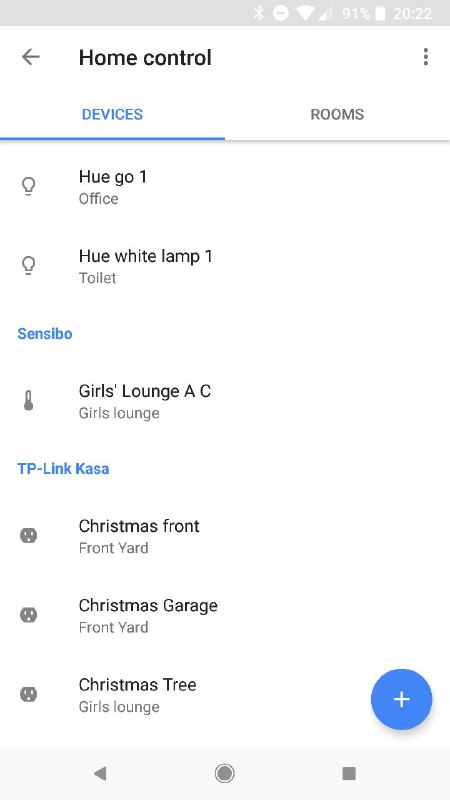
Once paired via the home control menu, you can use the Google Assistant to turn individual or all of your A/C units on or off, change the target temperature and change modes between cooling or heating. You can also ask Assistant what the temperature or humidity is for each device you’ve paired (and added to a room).
I will often leave work and as I’m about to walk out of my office ask my Google Home what the temperature at home is, depending on the answer I will start the A/C so it’s running and cool when I arrived home. I love it!
You may have noticed previously the voice instruction to turn on my AC was turn on the thermostat not turn on the air conditioner or A/C. Unfortunately because the Sensibo is implemented via Home Control they can’t program the phrases the device reacts to, it has to be from a Google approved lexicon. If you ask it to turn on the A/C or the air conditioner the device actually toggles to the cooling mode.This is obviously a US-Australian localisation issue.
If you’re reading this and you think it should be called a thermostat you’ll be happy but if you want to refer to it as something else you’ll have to wait for Google to get around to localising the phrasing for Home Control in Assistant. You can name each device ending in “air conditioner”, eg lounge room air conditioner and when you ask Assistant to “turn on lounge room air conditioner” that will also work per device. If you really must have the command “turn on all air conditioners”, you can always program that as an Assistant shortcut that points towards the correct phrasing (eg turn on all thermostats), problem solved!
I should mention that Sensibo works with Alexa, if you’ve got an Amazon Alexa and are interested in how it work with the device let me know, I’ve been looking for an excuse to pick up a trial unit.
Conclusion
Sensibo is a device that promises to do one thing, smarten your air conditioners (or is that thermostats?). From where I stand they not only deliver on that but have made some wise decisions that make their smart integrations easy to use.
The setting up of the device using QR codes was seamless and easy, the pairing to the existing remote was a one click step, and from there the app was well designed, feature rich and intuitive to use.
I loved the voice integration, even with the strange (from my Aussie perspective) thermostat naming, simply put I use it almost daily. I have seriously sold about 9 of these to family and friends who have either seen it in action or watched me control it from my office at work.
With the home automation space becoming a little fragmented I’m plagued by dozens of apps to control my various devices. Having something that at least integrate into one voice platform for 90% of the control needs makes a massive difference to the usability of the device.
I just wish Sensibo could control my main ducted system, but trying to automate a multi-zone ducted A/C system turns out is a living nightmare that even Sensibo can’t save me from.
You can pick up a Sensibo Smart AC Controller from Harvey Norman, Joyce Mayne, Good Guys, Bing Lee & Kogan or you can grab one online from their Australian distributor for $159 AUD.